
Wixie is built for the realities of modern schools. It supports the platforms, devices, privacy practices, accessibility standards, and AI guardrails administrators expect. At the same time, it helps teachers give students meaningful opportunities to create, communicate, and show what they know. With Wixie, screen time is active, creative time!
Tier 4 interoperability score from Project Unicorn

 Clever
Manage your users and simplify sign-on by adding Wixie to your Clever apps.
 ClassLink
Roster users and access Wixie through the ClassLink LaunchPad.
 Google
Sign in with Google and roster by allowing teachers to import their students and classes from Google Classroom.
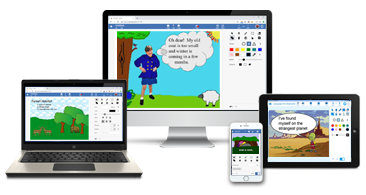
Wixie automatically adapts to iPads, Chromebooks, laptops, desktops, and phones adjusting layouts for different screen sizes and orientations. Students always have the right tools, whether they’re working on a tablet, laptop, or mobile device.
 Google Classroom
Create Google Classroom assignments from Wixie. Students open the link in Google Classroom, complete their work, and submit it back to Google Classroom for grading.
 Canvas
Add Wixie templates to Canvas assignments. Students complete the work and submit it from Wixie. Then, you can grade the project in Speedgrader.
 Brightspace
Add a link to a Wixie template to assignments in Brightspace. Students complete the work in Wixie, and then add a link to their project in the assignment submission.
Wixie has controls to allow or disable features such as collaboration, sharing, and YouTube access that can be set organization wide, at specific grade levels, for classes, or even individual students.
We take student privacy very seriously. Wixie collects a minimal set of personally identifiable information (PII) on students and teachers. Wixie protects PII by not selling student data, not running targeted advertisements, and not creating non-educational profiles on students or teachers.

Education Framework
We are proud to say that Wixie received a 4.5 privacy score from Education Framework.
We all want to help everyone learn to the best of their ability. Wixie is committed to providing an accessible tool for as many learners as possible.
Wixie follows WCAG guidelines for accessibility to a broad range of users.
 Wixie Accessibility Conformance Report (VPAT)
Learn more about how Wixie can meet the needs of all of your learners

Wixie was developed in 2010 for schools requesting a browser-based version of Pixie (our earlier desktop creativity tool) to use on their Chromebooks.
Wixie was designed using feedback and evidence from the Pixie Effectiveness Study that was going on at the same time.

Wixie is a tool to build student creativity and curriculum understanding. Wixie takes advantage of artificial intelligence to support teachers and enhance a student’s multimodal communications without doing the work for them.
Example AI tools for teachers: Generate template drafts, create coloring book images, differentiate instruction text.
Example AI tools for students: Remove image backgrounds, translate instructions, animate images based on audio.
Follow us on:


Wixie
Resources

