With Wixie, you can create:


Paint, draw, and create with Wixie! Create simple paintings, color pictures, illustrate storybooks, design comic strips, and so much more.
Wixie's accessible tools make it easy to get started making art right away.
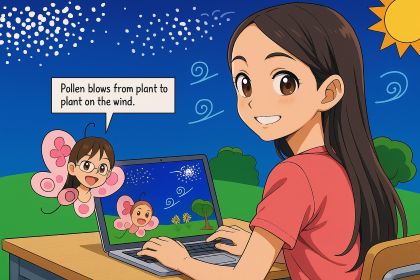
Start painting from a blank canvas, coloring book, uploaded file, or image from your camera.
Combine text, voice, images, and video with original art as a single image, an illustrated storybook, an animated slideshow, and much more.
Draw the images for your own coloring books with coloring outline tool.
Add images, videos, and voice narration using your device's camera and microphone.
Add clip art, sounds, and videos from a curated library, integrated Pics4Learning and Pixabay search, and your Google Drive.
Collaborate in real time to capitalize on the creativity of your team.
Print your work for art walks, comics, trading cards, foldable booklets and more.
Download your art as an image, a PDF, a video, or an animated GIF to import into other tools you use.
Share a link with your family to celebrate the work you are doing.
Turn painted artwork into a Talkie that reads text or speaks using a recorded voice. Imagine:
Wixie also, makes it easy to add path animation to art.
Turn art into an object and animate it in a circle, across a line, and much more. Adding path animation to helps turns static art into active storytelling.

Creating art enhances learning and can increase student motivation. Visual representations and explaining helps students internalize and articulate complex ideas and develop the ability to interpret, analyze, and create meaning from images.
All students, including emerging writers and language learners, can demonstrate understanding through imagery as they gain written communication skills. Adding voice recording gives students an authentic audience and purpose and reason to practice fluency as they express ideas in their own voice.

Follow us on:


Wixie
Resources
Integration